 listicle
Best Golf Simulator for Tight Spaces: 7 Top Picks for 2026
Table of Contents
- Quick Comparison: Best Golf Simulators for Tight Spaces
- Minimum Room Size for Golf Simulator: What Actually Fits
- Golf Simulator Ceiling Height Requirements: The Non-Negotiable Number
- Radar vs Camera Launch Monitors for Small Spaces
- 1. Compact Enclosure Systems Built for Small Rooms
- 2. Space-Saving Simulator Packages With Accurate Launch Monitors
- 3. DIY Simulator Setups for Garage and Multi-Purpose Rooms
- 4. Budget-Friendly Simulator Configurations That Save Space
- Frequently Asked Questions
Last Updated: September 4, 2026
Finding the best golf simulator for tight spaces is less about buying the most expensive hardware and more about precise measurements and honest expectations about your room. At My Golf Simulator, we’re not a call center reading from a script - we’re a small operation built on decades of customer service experience and real hands-on time with these systems ourselves.
The good news is that you do not need a ballroom to practice effectively. A golf simulator for tight spaces is entirely achievable with the right combination of a compact enclosure, a short-throw projector, and a launch monitor that suits your ceiling height and hitting area. Below, we break down the exact dimensions you need, the technology that works best in confined rooms, and four specific setup strategies that have generated successful installations in homes across the country.
Quick Comparison: Best Golf Simulators for Tight Spaces
Setup Type | Best For | Ceiling Height | Room Width | Tee-to-Screen | Key Tradeoff |
|---|---|---|---|---|---|
Compact Enclosure System | Dedicated small rooms | 9 ft minimum | 10-12 ft | 7-9 ft | Less immersive, very safe |
Space-Saving Package | Serious practice with data | 9-10 ft | 12 ft | 8-10 ft | Higher cost, accurate data |
Garages, multi-purpose rooms | 9-10 ft | 12 ft | 9-11 ft | Requires assembly effort | |
Budget Configurations | First-time buyers | 8.5-9 ft | 10 ft | 7-8 ft | Basic software, fewer features |
Minimum Room Size for Golf Simulator: What Actually Fits
The minimum room size for golf simulator use is determined by your swing arc, not by the equipment. A standard driver swing requires roughly 8 feet of clearance behind the ball and 4 feet in front of the tee to the screen, meaning a hitting area of about 12 feet deep is the practical floor for most players (golfdigest.com).
Width is less restrictive. You need about 4 feet on either side of the center line for a comfortable stance and follow-through, so a room 10 to 12 feet wide works for most golfers. The real constraint is depth. If you only have 10 feet of depth, you will need to use shorter clubs or accept a reduced tee-to-screen distance, which affects projection quality and ball flight data accuracy.
Golf Digest's guide to home simulator room dimensions notes that many golfers underestimate how much space the human body needs, not just the equipment. A common mistake is measuring floor space without accounting for the width of the enclosure frame itself, which can add 6 to 12 inches on each side.
Golf Simulator Ceiling Height Requirements: The Non-Negotiable Number
The non-negotiable number for golf simulator ceiling height requirements is 9 feet for most golfers, measured from the floor to the lowest obstruction, not the highest point of the ceiling. This accounts for a full driver swing arc with a standard 45-inch club for a player around 6 feet tall.
If you are under 5 feet 10 inches, an 8.5-foot ceiling can work, but you will need to choke down on the driver and consciously flatten your swing plane. For players over 6 feet, anything below 9.5 feet becomes a constant mental distraction. You will find yourself decelerating through impact to avoid the ceiling, which destroys the practice value of the session.
Radar vs Camera Launch Monitors for Small Spaces
Radar vs camera launch monitors for small spaces comes down to one critical distinction: radar units need unobstructed space behind the ball, while camera-based units need adequate light and a clear view of the hitting area.
Radar-based launch monitors, like the ones used in many commercial bays, track the club head and ball through a Doppler effect. They are highly accurate for ball flight data, including spin rate and carry distance, but they require roughly 8 to 10 feet of clearance behind the tee to capture the full club path. In a tight room, this is often the limiting factor.
Camera-based systems use photometric imaging to capture the moment of impact. They are more forgiving of tight spaces because they only need about 12 to 18 inches behind the ball, but they require consistent, bright lighting to track the club face and ball accurately. Poor lighting causes missed reads and shot dispersion data that is simply wrong.
For a golf simulator for tight spaces, a camera-based launch monitor is usually the better choice, provided you address the lighting requirements. We have seen many golfers install a radar unit in a room that is too short, only to find the unit cannot track full driver swings because the ball exits the detection zone too quickly.
1. Compact Enclosure Systems Built for Small Rooms
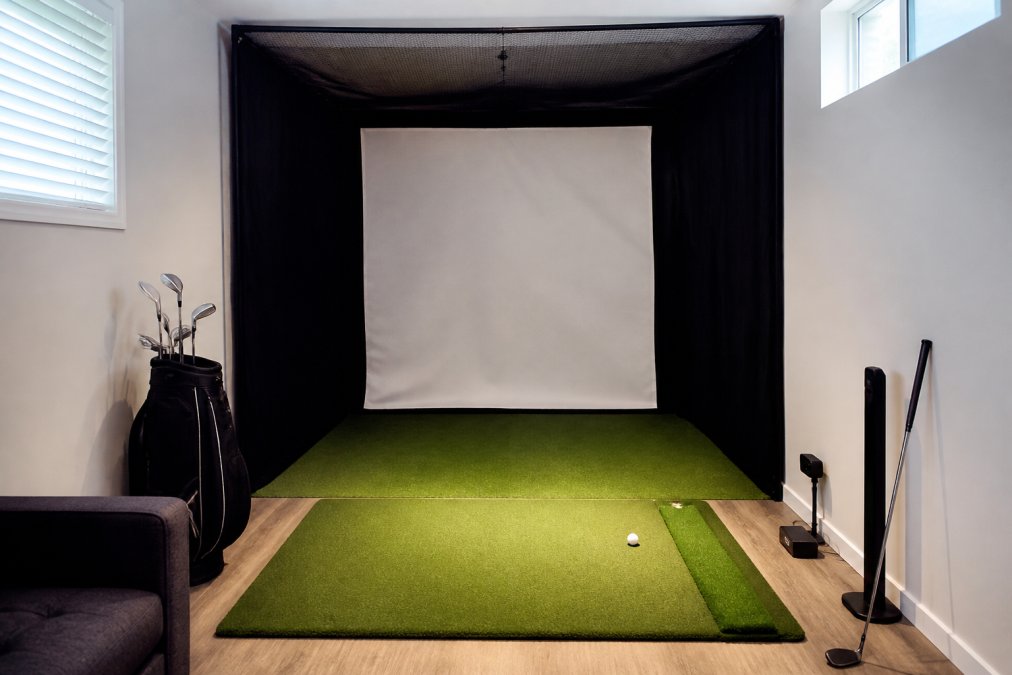
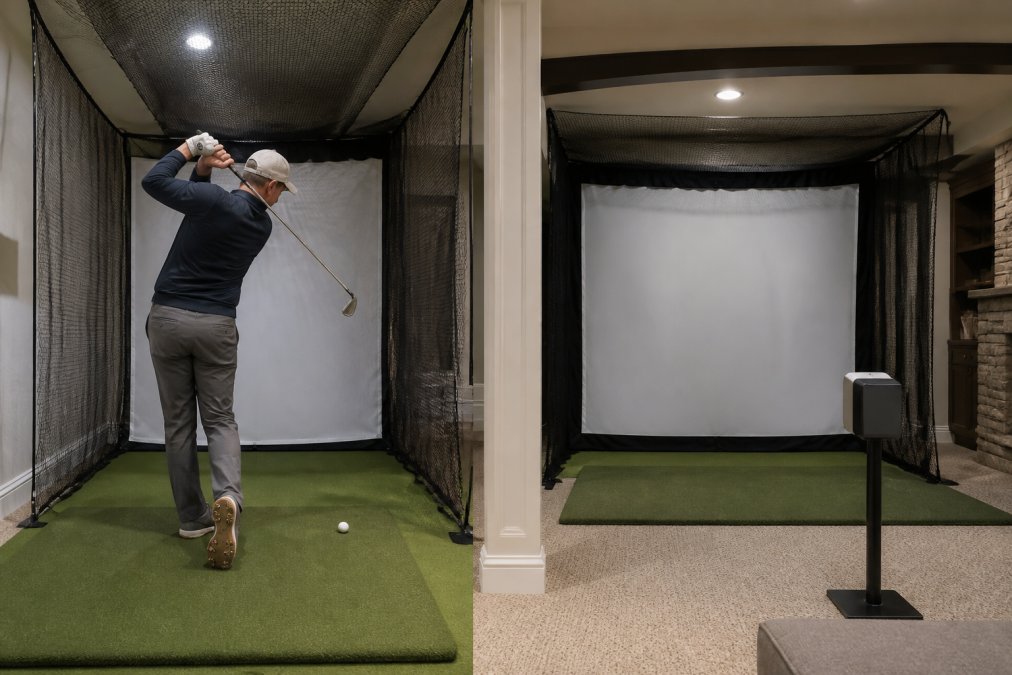
Our top pick for most golfers with limited space is a compact enclosure system paired with a camera-based launch monitor and a short-throw projector. These systems are designed from the ground up for a golf simulator for tight spaces, with the impact screen positioned 7 to 9 feet from the tee and the enclosure frame sized to fit rooms as narrow as 10 feet.
The best part of a compact enclosure is the safety it provides. The side netting and ceiling protection catch errant shots and high wedges, so you can swing freely without worrying about damaging drywall or light fixtures. The tradeoff is a less immersive experience. The screen is closer, so the projected image fills less of your peripheral vision, which can affect depth perception on putts and short chips.
We recommend investing in a quality impact screen with proper tensioning. A cheap screen that ripples or sags will distort the image and cause the ball to rebound unpredictably. Look for a screen with a sewn perimeter and grommets that allow even tensioning across the frame.
2. Space-Saving Simulator Packages With Accurate Launch Monitors
If your priority is accurate ball flight data over immersion, a space-saving simulator package with a high-end camera launch monitor is the right path. These packages pair a compact hitting area with a launch monitor that captures club path, face angle, spin rate, and carry distance with a degree of accuracy that rivals commercial bays.
The key advantage of these packages is that they separate the launch monitor from the enclosure. You can place the monitor on a small side table or mount it on a tripod, which gives you flexibility in how you arrange the room. This is particularly useful in a multi-purpose space where the simulator needs to be packed away between uses.
What most guides miss is the importance of the hitting mat. A quality hitting mat with a replaceable tee insert and a "real feel" turf layer protects your joints and provides consistent ball flight data. Cheap mats cause the club to bounce at impact, producing artificially high launch angles and inconsistent spin readings.
3. DIY Simulator Setups for Garage and Multi-Purpose Rooms
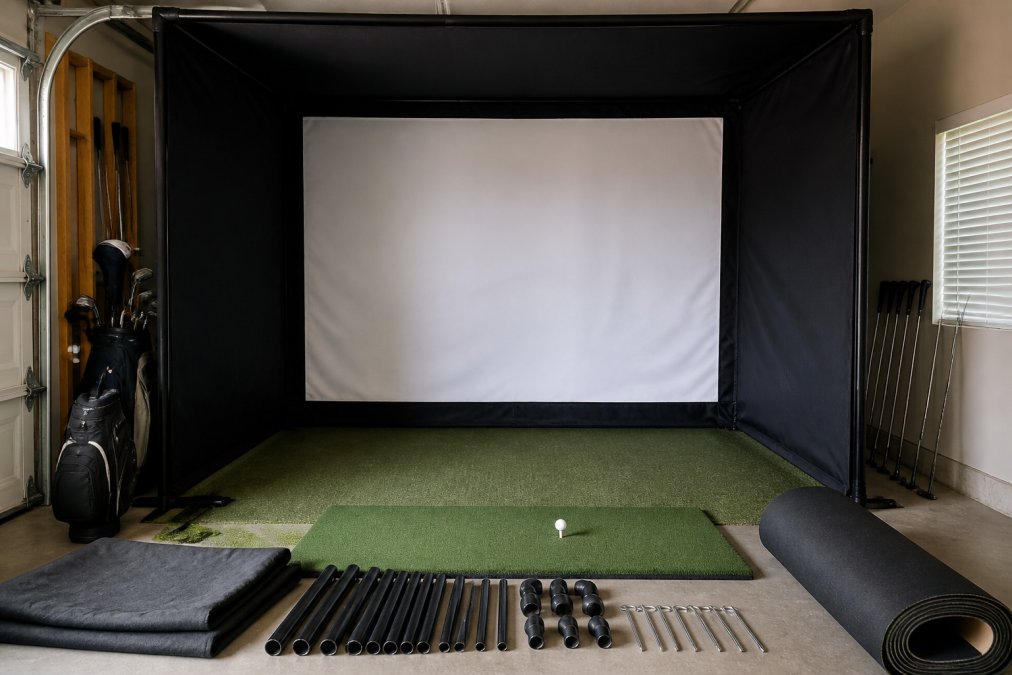
For golfers with a garage or a room that serves multiple purposes, a DIY simulator setup offers the most flexibility. Instead of a permanent enclosure, you build a retractable impact screen and netting system that can be pulled out for practice and tucked away when you need the space for other activities.
The most effective DIY approach uses a ceiling-mounted roller system for the impact screen and freestanding side netting that can be folded flat. This setup requires a minimum ceiling height of 9 feet to accommodate the roller mechanism, and you will need to anchor the screen to the floor to keep it taut.
A common mistake in DIY setups is neglecting floor padding. A concrete garage floor will destroy both your joints and your clubs. Invest in interlocking foam tiles that are at least 3/4 inch thick, and place a higher-quality hitting mat on top of the tiles in the hitting area. This combination provides adequate shock absorption and a stable stance.
4. Budget-Friendly Simulator Configurations That Save Space
A budget-friendly configuration is not about buying the cheapest components. It is about spending money where it matters and saving where it does not. The launch monitor and the impact screen deserve the bulk of your budget, while the enclosure frame, projector, and software can be scaled back.
For tight spaces, consider a net-based setup instead of a full enclosure. A high-quality impact net with a built-in screen and a separate net for the ceiling can save several hundred dollars and reduce the physical footprint. The tradeoff is less side protection, so you need to be disciplined about your swing path.
Most budget packages include basic software with a handful of courses. Before you commit, check whether the software runs on your existing computer or if it requires a gaming-grade PC with a dedicated graphics card. Many golfers budget for the hardware and then discover their laptop cannot run the simulation software at an acceptable frame rate, which ruins the entire experience.
The PGA of America's recommendations on simulator technology and space planning emphasizes that the software subscription is a recurring cost that should factor into your decision. A cheaper upfront package with a mandatory high monthly subscription can cost more over three years than a premium system with a lifetime license.
The challenge of fitting a golf simulator for tight spaces is real, but it is solvable with accurate measurements and honest advice about what your room can support. My Golf Simulator provides personalized guidance and premium hardware for indoor golf setups, ensuring your bay is perfectly tailored to your space and budget. With forty-six years of industry experience, we focus on building lasting relationships rather than just making a sale, offering honest advice on everything from launch monitors to enclosure kits. We help you navigate the complexities of radar versus camera tracking to ensure your equipment matches your specific room dimensions and playing goals. Get started with My Golf Simulator and build a setup that fits your room, your swing, and your game.
Frequently Asked Questions
What is the minimum room size for a golf simulator?
For a functional setup, you need at least 10 feet of width, 12 feet of depth, and 9 feet of ceiling height. The width gives you room to swing a driver without hitting walls, while the depth allows space for the launch monitor, hitting area, and impact screen. Rooms smaller than this will require you to choke down on clubs or use shorter clubs exclusively.
Can I use a golf simulator in a room with a low ceiling?
Yes, but you must measure your swing arc first. A standard 8-foot ceiling works for many golfers if they use shorter clubs, but a driver swing needs roughly 8.5 to 9 feet of clearance depending on your height and swing plane. Test your swing with a broomstick or a cut-down club before buying equipment to avoid damaging your ceiling and your clubs.
Are radar or camera launch monitors better for small indoor spaces?
Camera-based launch monitors are generally more reliable in tight indoor spaces because they do not require the same unobstructed depth that radar units need to track the ball. Radar systems need roughly 8 to 10 feet of ball flight to produce accurate data. Camera systems capture data at impact, making them far more space-tolerant and accurate in confined rooms.
Is 8 feet wide enough for a golf simulator?
Eight feet of width is workable but tight. You will have roughly 3 feet of clearance on each side of a standard 5-foot-wide hitting area, which is enough for a controlled swing but not comfortable for everyone. If you regularly hit driver, you will likely clip a wall or side netting. Ten feet of width is the safer target for a relaxed, full-swing experience.
What is the cheapest way to build a golf simulator for a small room?
The most budget-friendly approach is a DIY setup: buy a quality launch monitor, a separate hitting mat, and a net or impact screen rather than a full enclosure. This configuration takes up less floor space and costs less than pre-assembled packages. You can mount a projector on the ceiling and use a simple screen frame to keep the footprint minimal while still getting accurate ball flight data.
This article was written using GrandRanker
Frequently Asked Questions
Q: What is the minimum room size for a golf simulator?
A: For a functional setup, you need at least 10 feet of width, 12 feet of depth, and 9 feet of ceiling height. The width gives you room to swing a driver without hitting walls, while the depth allows space for the launch monitor, hitting area, and impact screen. Rooms smaller than this will require you to choke down on clubs or use shorter clubs exclusively.
Q: Can I use a golf simulator in a room with a low ceiling?
A: Yes, but you must measure your swing arc first. A standard 8-foot ceiling works for many golfers if they use shorter clubs, but a driver swing needs roughly 8.5 to 9 feet of clearance depending on your height and swing plane. Test your swing with a broomstick or a cut-down club before buying equipment to avoid damaging your ceiling and your clubs.
Q: Are radar or camera launch monitors better for small indoor spaces?
A: Camera-based launch monitors are generally more reliable in tight indoor spaces because they do not require the same unobstructed depth that radar units need to track the ball. Radar systems need roughly 8 to 10 feet of ball flight to produce accurate data. Camera systems capture data at impact, making them far more space-tolerant and accurate in confined rooms.
Q: Is 8 feet wide enough for a golf simulator?
A: Eight feet of width is workable but tight. You will have roughly 3 feet of clearance on each side of a standard 5-foot-wide hitting area, which is enough for a controlled swing but not comfortable for everyone. If you regularly hit driver, you will likely clip a wall or side netting. Ten feet of width is the safer target for a relaxed, full-swing experience.
Q: What is the cheapest way to build a golf simulator for a small room?
A: The most budget-friendly approach is a DIY setup: buy a quality launch monitor, a separate hitting mat, and a net or impact screen rather than a full enclosure. This configuration takes up less floor space and costs less than pre-assembled packages. You can mount a projector on the ceiling and use a simple screen frame to keep the footprint minimal while still getting accurate ball flight data.